
CALIFORNIA CONTRACT SOFTWARE
California home improvement contract software for licensed contractors
ContractBuilderAI turns project details into a guided contract workflow with AI-assisted scope and materials drafting, payment-schedule organization, review checkpoints, e-signature and an audit trail — while keeping the contractor in control of the final contract.
Last reviewed: September 26, 2026
California contract work is more than filling in a PDF
According to the CSLB, a written contract is required for California home improvement projects over $500 in combined labor and materials. CSLB says the contract should address the work, materials, price, payment schedule, permits and completion, and that changes should be documented in a written change order.
Business and Professions Code §7159 contains detailed contract-content and workflow requirements, and specialized rules and exceptions can apply to particular projects.
A blank form holds terms, but it won't ask whether the payment stages match the scope or whether a notice is missing. That gap is what a guided workflow is meant to close: it collects project information once and carries it through drafting, review and signature.
From project details to a review-ready contract draft
Project intake
Contractor, customer and job-site details go in once, through a single guided intake, instead of being retyped on every form.
Scope and materials
AI drafting turns your project notes into scope and materials language you can rewrite, trim or replace.
Payment schedule workflow
Lay out the job in phases and attach payment-schedule details to each one, ready for you to check.
Notice checkpoints
Structured checkpoints walk through contract information, notices and disclosures so nothing sits half-finished.
Contractor review
Nothing goes out until you've read it. Edit any section before the contract is sent for signature.
E-signature and audit trail
Send for e-signature, then keep the signing history and audit trail with the contract record.
ContractBuilderAI assists with the workflow. The contractor remains responsible for the final contract and for confirming the requirements that apply to the project.
Change-order software workflow
Once the contract is fully signed, later changes stay attached to it. Draft the change, check its effect on price and schedule, get it signed and keep the executed PDF.
See how a contract moves from job details to signature
Four stages of the current beta workflow, named the way they appear in the app. At each one: what you see, what you decide, and what happens next.
Enter the project details
In the app: Project Type · Homeowner Info- What you see
- Fields for the project type, the customer, the job-site address and contact details. An optional “Start from architectural plans” intake can suggest entries from uploaded plan documents.
- What you decide
- Which entries and suggestions to keep. Every field stays editable, and you check each one before moving on.
- What happens next
- These details carry forward into the contract draft, so they are entered once rather than retyped.
Edit scope, materials and project dates
In the app: Project Details- What you see
- AI-drafted scope and materials language built from your project notes, alongside Approximate Start Date and Approximate Completion Date fields.
- What you decide
- What the scope and materials actually say. Rewrite, trim or replace any drafted text — it is a starting point for your review, not legal advice.
- What happens next
- Your edited scope, materials and dates become part of the draft you review before signature.
Review payment milestones and checkpoints
In the app: Pricing & Payment · Final Check- What you see
- Contract price, down payment and progress-payment milestones, then a Final Check listing required-information and notice checkpoints that still need attention.
- What you decide
- Whether each milestone lines up with the work it pays for, and how to resolve each flagged item. The checkpoints support your review; they do not decide whether the contract meets every rule that applies to the job.
- What happens next
- Flagged items point back to the step where the field lives, so you can fix them before the contract is generated.
Confirm the final text and send for signature
In the app: Review & Generate- What you see
- The full contract text for a last read. You sign as the contractor first, then use Send Signing Link to email the homeowner a secure link.
- What you decide
- Whether the contract is ready to go out. Nothing is sent to the homeowner until you choose to send it.
- What happens next
- Once the homeowner signs, the signed document and the Activity Log stay with the contract record.
The screenshots below were captured from the current app using a fictional example project, not a real client job.
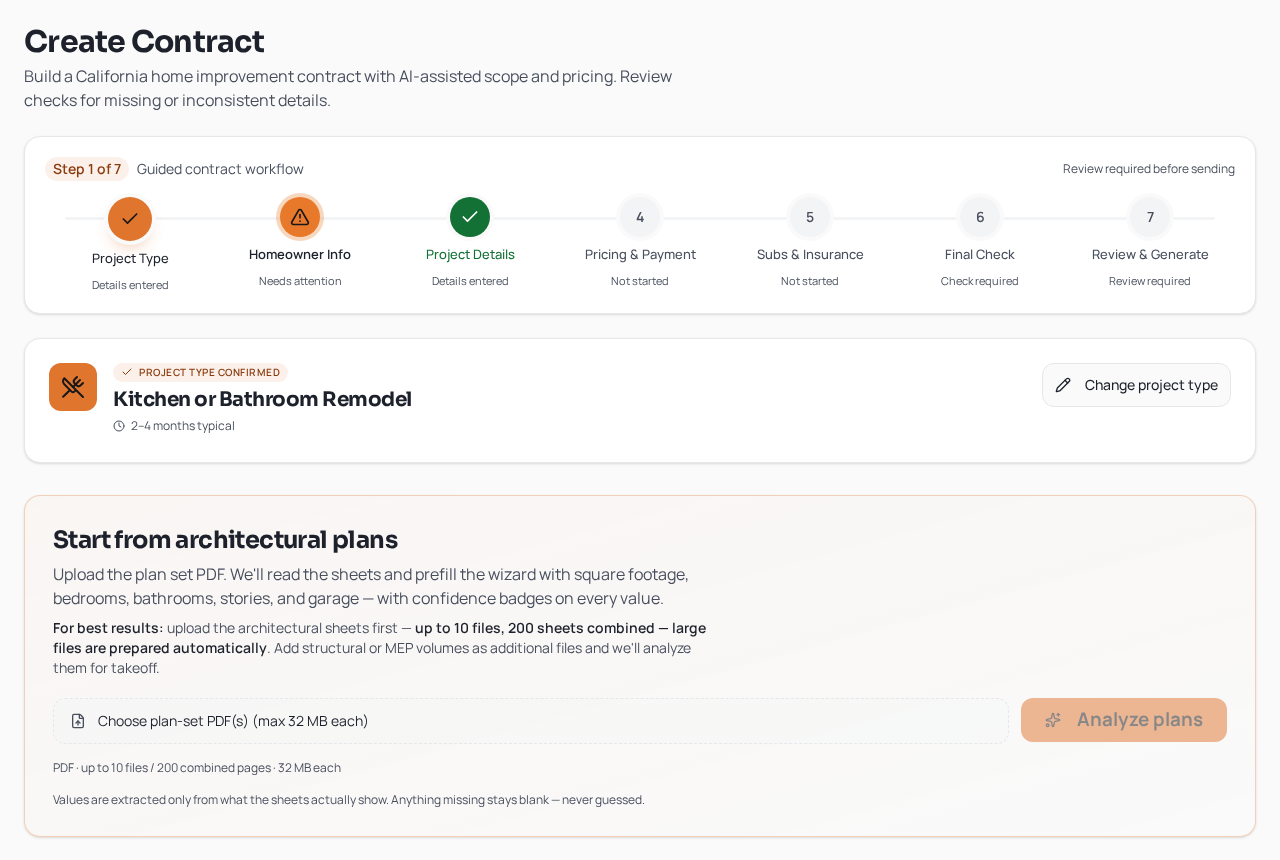
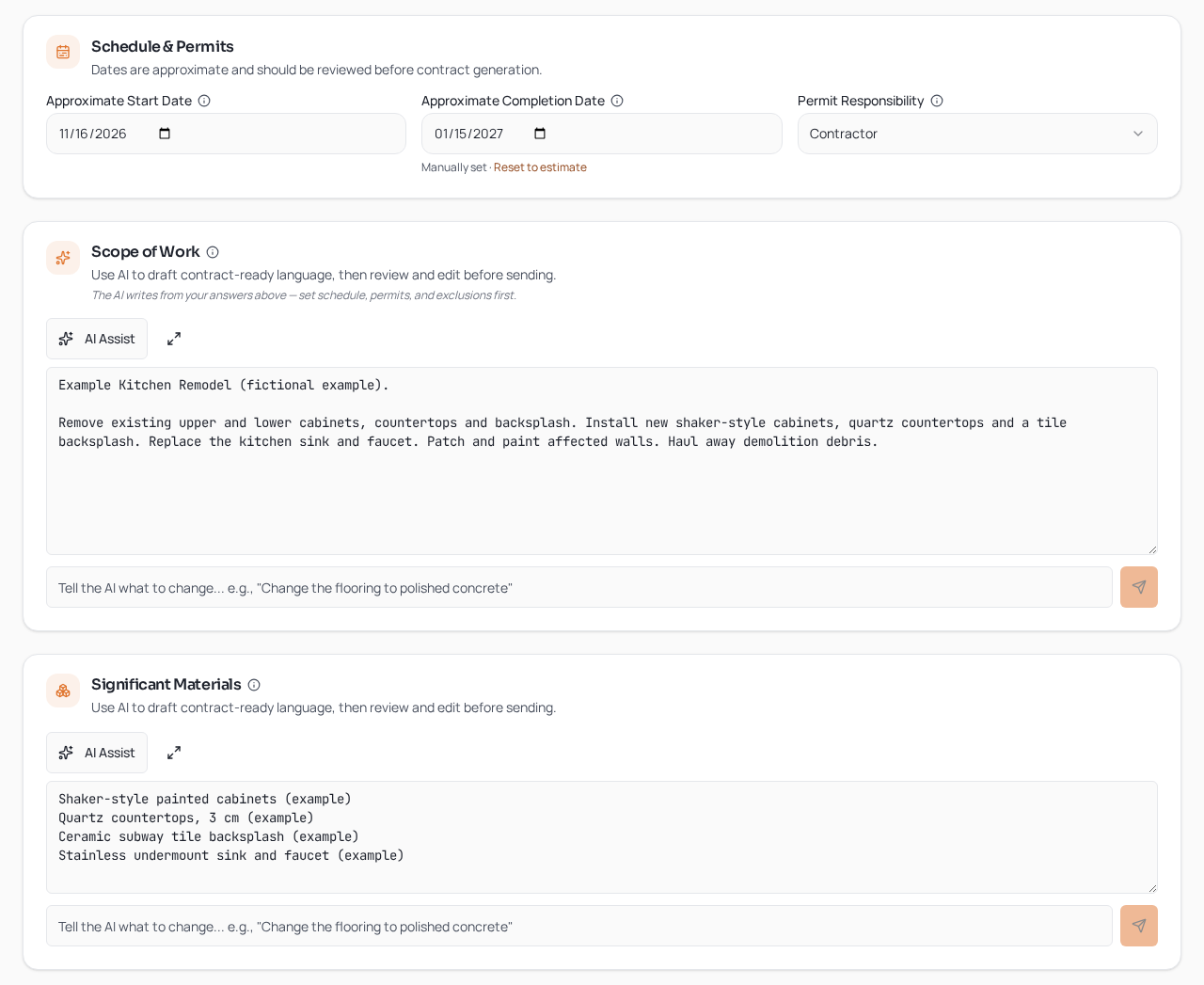
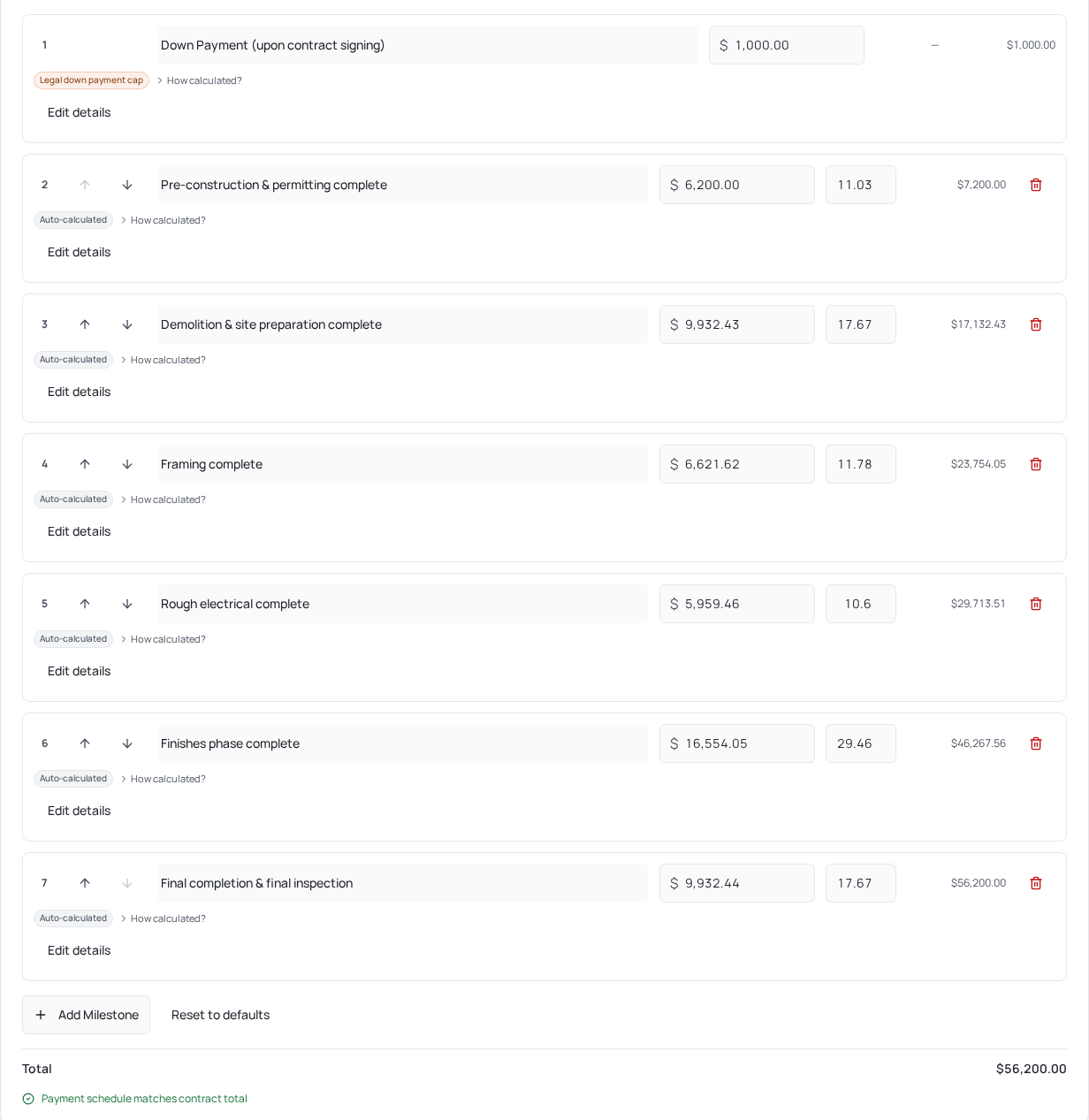
This describes the current beta interface. Screens and step names may change during the beta.
Want to run your own jobs through this workflow?
The California private beta is for licensed California home improvement contractors. Each application is reviewed individually — applying does not create an account or give immediate access.
Apply for the California beta →Or read a fictional contract example first
Built for the California home improvement workflow
B&P §7159 statute guide
A plain-language walk through the statute behind contract content, payments, notices and change orders.
15-point contract checklist
A pre-signature pass over project details, payment stages, notices, change orders and the customer copy.
California contract template guide
What a template has to account for, and the parts of the job a static form leaves to you.
Annotated California contract example
Follow a fictional kitchen remodel from scope and price through payment stages, notices, a change order and signature.
Start and completion date requirements
Approximate start and finish dates, what counts as substantial commencement, and how later timing changes are handled.
Home Improvement Salesperson requirements
When a registered salesperson's name and number belong in the contract, and how that person ties back to your license.
Contractor license information
Your name, business address and license number on the contract, and checking them against CSLB records.
Insurance disclosure requirements
Stating CGL and workers' compensation status accurately, verifying it and attaching what's permitted.
Plans & incorporated documents
Referencing plans and specifications clearly, keeping versions straight and handling revisions after signing.
Written contract requirement
The price threshold, signatures, getting the buyer their copy, electronic execution and keeping later changes in writing.
Contract requirements
The main pieces a California home improvement contract usually has to cover.
Down payment limit
How the general cap is calculated, and where an exception may change the picture.
Progress payments
Building a schedule where each payment lines up with work actually done.
Change orders
Getting changed work, price and timing into writing before the change starts.
Mechanics lien warning
Why customers see this notice and what it is meant to tell them.
Cancellation rights
Three-day, five-day and other frameworks, and why they aren't interchangeable.
Guided workflow vs. static contract forms
| Static PDF / Word form | ContractBuilderAI guided workflow | |
|---|---|---|
| Project details | Typed in by hand, often more than once | Guided project intake |
| Scope and materials | Draft and edit manually | AI-assisted draft, then contractor review |
| Payment schedule | Built as a separate section of the form | Structured payment-schedule workflow |
| Changes | Separate documents you track yourself | Change-order workflow tied to the project |
| Signature | Printed, or routed through another signing tool | Built-in e-signature workflow |
| Record | Files and history kept in different places | Contract and signing audit trail |
Designed for contractor control — not autopilot
AI writes a first draft of the scope and materials language. You decide what stays, what changes and what gets cut.
Along the way, the workflow raises questions and checkpoints worth stopping on, but it can't settle every legal issue a particular job might raise.
Confirm what applies to each project, and bring in legal review when the job calls for it.
California private beta opens November 1, 2026
Applications are open now for licensed California home improvement contractors who want early access.
Apply for the California beta →Review California contract requirements
Official California sources
- Contractors State License Board — What Is a Home Improvement Contract?
- Contractors State License Board — Contracts and Binding Agreements
- California Legislature — Business and Professions Code §7159
Building California contracts should not start from a blank page.
ContractBuilderAI is opening a California private beta on November 1, 2026 for licensed home improvement contractors.
Apply for the California beta →