
What E-Signature Records Should a Contractor Keep With a Signed Home Improvement Contract?
A signed PDF is only part of your contract file. This California contractor checklist explains which signing, delivery, consent, and change-order records to keep and what questions each can help answer.
What E-Signature Records Should a Contractor Keep With a Signed Home Improvement Contract?
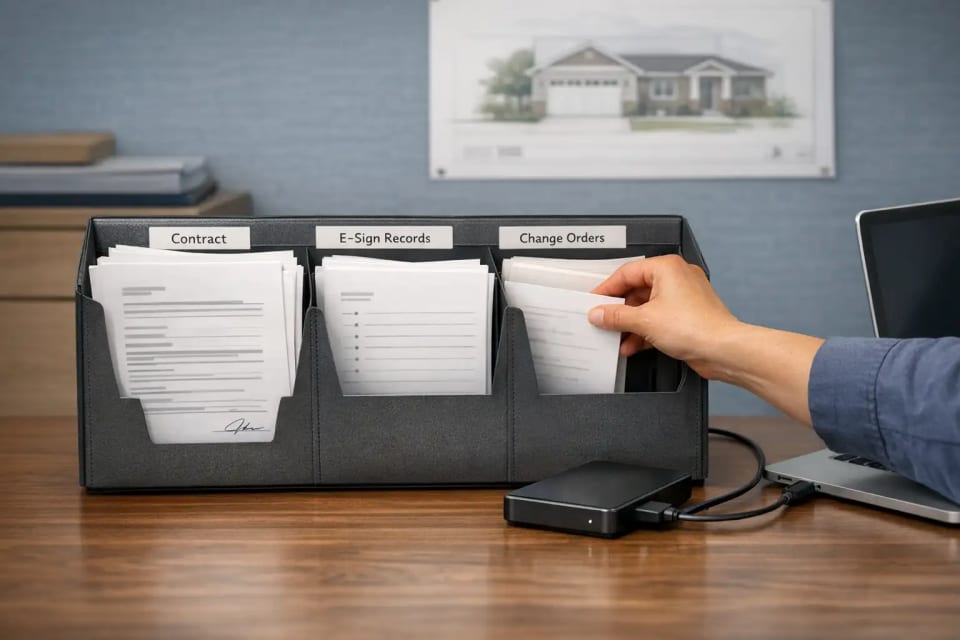
Keep the whole signing package, not just the signed PDF, and make sure you can produce it from your own storage without logging into the e-signature vendor's portal. This applies to any contractor who collects electronic signatures on home improvement contracts, and it matters most for California contractors because California law expects a signed copy to reach the homeowner and expects change orders to be signed before the changed work starts. The complete file has three parts: the exact executed version with its attachments, the signing evidence (certificate, audit trail, signer identification, timestamps, integrity record), and the surrounding records (consent, delivery proof, notices, cancellation documents, and a separate signing record for every change order).
Below is a record-by-record breakdown that explains what each item proves, which homeowner dispute it answers, and how strongly it is grounded in law versus good practice. It ends with an illustrative example, a file-closing checklist, and a folder structure you can adopt as-is.
This article is general information for contractors, not legal advice. Statute text changes; confirm current wording and effective dates at the official sources linked below, and have an attorney review your contract process. You remain responsible for your license, the accuracy of your data, and the review of every document you sign or send.
Why the signed PDF is not the record
A signed PDF shows what the document says. It does not, by itself, show who signed it, when they signed it, what they saw on screen, whether they received a finished copy, or whether the file was altered afterward. Those are exactly the questions that come up when a project goes wrong.
California and federal e-signature law point in the same direction. California's Uniform Electronic Transactions Act treats an electronic signature as belonging to a person when it was that person's own act. The statute lets that point be established through any kind of proof, and one example it gives is evidence that a security procedure effectively identified the signer (Civil Code § 1633.9). The law does not hand you a list of required proof. It leaves it to you to be able to show the signature was the homeowner's act.
On retention, both the federal ESIGN Act (15 U.S.C. § 7001(d)) and California UETA (Civil Code § 1633.12) say that where a law requires a record to be kept, an electronic record satisfies that requirement if it accurately reflects the information and remains accessible for later reference. ESIGN adds that the record must be reproducible for everyone entitled to it, by printing, transmission, or otherwise (§ 7001(d)(1) and (e)). Neither statute sets a retention period, and neither lists a certificate or audit trail as mandatory. They describe the form a kept record must take: accurate, accessible, reproducible.
So the practical file-completeness test is not "what does the law list?" It is: if a homeowner says "I never signed," "that's not what I saw," "I never got a copy," "I never agreed to that change," or "I didn't get the notice," what can you produce, from storage you control, to answer it?
The signing-file standard: record, what it proves, which dispute it answers
Each row below is labeled with a source tier so you can tell law from practice:
- Tier 1: grounded in a statute discussed above (retention form, attribution, ESIGN consent conditions).
- Tier 2: tied to a California home improvement provision (Business and Professions Code § 7159, Civil Code § 1689.7, or CSLB guidance) that you should re-verify at the official source before relying on it.
- Tier 3: a ContractBuilderAI operating recommendation. Smart to keep. No statutory claim.
| Record | What it proves | Dispute it answers | Source tier |
|---|---|---|---|
| Final executed version (the exact file that was signed, with all pages) | What the parties agreed to, in the form they agreed to it | "That's not what I saw" | Tier 1 (accurate reflection of the record, § 7001(d), § 1633.12) |
| Signature certificate or completion record | A vendor-generated summary of who signed, when, and that the signing process finished | "I never signed" | Tier 3, supporting Tier 1 attribution (§ 1633.9 permits proof by any method) |
| Audit trail or event history (sent, viewed, signed, completed) | The sequence of events and that the homeowner opened and acted on the document | "I never signed," "I never saw it" | Tier 3, supporting Tier 1 attribution |
| Signer identification and how it was verified (name, email or other identifier, verification method) | That the signature was this person's act | "Someone else signed," "my spouse signed, not me" | Tier 1 (attribution, § 1633.9) |
| Timestamps with time zone | When each party signed, relative to work start and any cancellation window | "Work started before I signed," "I cancelled in time" | Tier 2 (signed-before-work and copy-delivery themes in § 7159, verify at leginfo) and Tier 3 |
| Consent to use electronic records (where a law requires written information to the consumer) | That the homeowner agreed to receive electronically what a law says must be "in writing" | "I never agreed to do this electronically" | Tier 1 (conditional, § 7001(c)) |
| Proof the homeowner received the completed copy, with date and method | That the finished, fully signed contract reached the homeowner, and when | "I never got a copy" | Tier 2 (copy to buyer before work starts and cancellation-period themes, § 7159 and § 1689.7, verify at leginfo) |
| Integrity evidence (whatever your tool provides to show the signed file was not changed afterward) | That the file you hold today matches the file that was signed | "That's been altered since I signed" | Tier 1 (accurate reflection, § 7001(d), § 1633.12) and Tier 3 |
| Attachments and incorporated documents, tied to the signed version (scope, specifications, selections, payment schedule, notices) | Which exhibits were part of the deal and which revision the homeowner saw | "That spec wasn't in my contract," "I didn't get the notice" | Tier 2 (incorporated-documents and notice themes in § 7159, verify at leginfo) |
| Change-order signing record (a separate executed version, certificate, audit trail, timestamps, and delivery proof for each change order) | That each change was agreed in writing before the changed work began | "I never agreed to that change" | Tier 2 (CSLB guidance and § 7159 change-order themes, verify at leginfo) |
A short way to say it: the executed version answers "what," the signing evidence answers "who and when," the delivery and consent records answer "did they get it," and the change-order records answer "did they agree to the changes."
Notes on the records that cause the most confusion
Audit trail vs. certificate of completion
These are two different outputs from the same signing event. The audit trail (some tools call it the event history or signing log) is the chronological list of what happened: the envelope was sent to a given address, opened on a given date and time, signed, and completed. The certificate of completion is a summary page the vendor generates at the end, typically listing each signer, their identifier, the timestamps, and a statement that the process completed. Many tools attach the certificate to the signed PDF; fewer attach the full audit trail. Keep both. The certificate is quick to read; the audit trail is what answers detailed questions about sequence.
Signer identification in messy real-world signing
Civil Code § 1633.9 allows attribution to be proven through any form of evidence, including how well a security procedure identified the signer. That means your file should record how the person was identified, not just that a name appears. Common situations to document:
- Two co-owners sharing one email address. Send each signer their own signing request if your tool allows it, or record which identifier each person used. A single email address with two names is the weakest form of attribution you can hold.
- Signing on a phone. A phone signature is still an electronic signature. The question is whether your tool captured the same signer identification and event history it captures on a desktop. Check the certificate after a mobile signing to confirm nothing is missing.
- Who signed for the contractor. Record whether the owner, a salesperson, or another authorized person signed on the company's behalf, and keep a note of their authority. This is a Tier 3 practice, but it closes an obvious gap when a salesperson leaves.
Consent to electronic records is conditional, not universal
A common claim in vendor articles is that consumer consent to e-signatures is always mandatory. The federal statute is narrower. ESIGN's consumer-consent rules apply where a law requires information to be provided to a consumer "in writing." In that case, the consumer must affirmatively consent, must first receive a clear statement of their right to paper, how to withdraw consent, what the consent covers, how to get a paper copy, and the hardware and software needed, and must consent or confirm electronically in a way that reasonably shows they can access the electronic form (§ 7001(c)(1)). ESIGN also says it does not require anyone to agree to use electronic records (§ 7001(b)(2)).
Two consequences for your file. First, keep the consent record whenever your tool captures one; it costs nothing and answers a real question. Second, do not assume a missing consent record voids the contract. ESIGN states that failing to obtain the electronic confirmation of consent does not, by itself, deny the contract legal effect (§ 7001(c)(3)). Whether a particular California home improvement contract triggers the written-information condition is a question for your attorney.
Notices: e-signature does not change what they say or when they go out
ESIGN is explicit that it does not alter the content or timing of any disclosure or notice required by other law, and that where a law requires a delivery method that involves verification or acknowledgment of receipt, electronic delivery works only if it provides that verification (§ 7001(c)(2)). For a California home improvement contract, § 7159 addresses a set of notices that appear in the contract form or as attachments. The records point is simple: keep every notice with the signed version it was attached to, and keep evidence of when and how it was delivered. Which notices apply to your contract, and whether electronic delivery satisfies a particular notice rule, must be confirmed at the current text of § 7159 and with counsel.
Integrity evidence, described by function
Most e-signature tools include some mechanism that lets you (or a court) confirm the file has not been changed since signing. The specific technology varies by vendor and is not something California or federal law prescribes for contractor files. What matters is the function: can you demonstrate that the PDF in your folder is the same one that was signed? Export whatever your tool offers for that purpose, and keep it next to the signed file.
Change orders are separate mini-contracts
CSLB's consumer guidance states that changes to price or scope on a California home improvement project must be made by a written change order signed by both the customer and the contractor before the change (CSLB, Learn About Home Improvement Contracts). Section 7159 addresses the same theme and describes what a change order must contain; verify the current wording at leginfo. For records, treat each change order exactly like the original contract: its own executed version, its own certificate and audit trail, its own timestamps compared against the date the changed work began, and its own delivery proof. A change order signed after the changed work has started is the kind of fact pattern that invites an "I never agreed to that" dispute, and the timestamp is the record that speaks to it.
Required to keep vs. smart to keep
What the statutes in this article actually say: a kept electronic record must accurately reflect the information and stay accessible and reproducible (ESIGN § 7001(d)–(e), Civil Code § 1633.12); attribution may be proven through any form of evidence (Civil Code § 1633.9); consumer consent has specific preconditions where a law requires written information (§ 7001(c)). California's home improvement provisions address delivering a signed copy to the buyer, change orders signed before work, incorporated documents, and notices (§ 7159, § 1689.7, CSLB guidance; verify current text).
What this article did not find: any California statute that lists a signature certificate, audit trail, timestamp record, or integrity record as a mandatory item in a contractor's file. We looked, and we are telling you plainly that we did not find one. These records are smart to keep because they are the practical way to meet the attribution and accuracy standards above, and because they answer the disputes that actually happen.
The rule we recommend: keep everything in the table. Exporting a few extra files at job start is a small step compared with being unable to show who signed what, when.
The California framing, and what we cannot tell you
Three legal sources matter most for a California contractor's e-signature file:
- Federal ESIGN Act, 15 U.S.C. § 7001. Establishes that a signature, contract, or record cannot be denied legal effect solely because it is electronic (§ 7001(a)); sets the conditional consumer-consent rules, the retention-form standard, and the rule that electronic form does not change notice content or timing. Confirm the current text at the official U.S. Code site. Read § 7001.
- California UETA, Civil Code §§ 1633.1–1633.17. California's counterpart. Section 1633.7 gives electronic records and signatures legal effect; § 1633.9 governs attribution; § 1633.12 governs retention form and notes that a government agency may impose additional retention requirements for records under its jurisdiction. Section 1633.12's history line shows it was added by Stats. 1999, ch. 428, effective January 1, 2000; confirm the current text, since sections can be amended. Read the California UETA.
- Business and Professions Code § 7159 and related sections. California's home improvement contract statute. It addresses, among other things, the contractor giving the buyer a signed and dated copy of the contract before work starts, the buyer's cancellation rights, the date the buyer signed on the first page, incorporated documents, notices, and written change orders signed before changed work begins. This article names those themes to explain why delivery proof, timestamps, and change-order records carry weight. It does not restate the detailed requirements, and you should not rely on any paraphrase of § 7159 that does not cite the current leginfo text with its effective date. Read § 7159. Section 7159.5 is a related section worth reading alongside it.
Cancellation deserves a special mention. CSLB's consumer pages describe cancellation rights that depend on where the contract was negotiated, the contract price, and in some cases the buyer's age, and Civil Code § 1689.7 addresses giving the buyer a copy of the contract and the notice of cancellation at execution. The periods and conditions are specific and have changed over time, so this article does not state them as rules. For your file, the lesson is: keep the cancellation notice with the signed version, keep evidence of when the homeowner received the signed copy and the notice, and keep any cancellation the homeowner sends, with its date. CSLB's warnings and exceptions page is the consumer-facing summary; counsel should confirm which rules apply to your contracts.
How long to keep e-signed contracts in California
This article does not state a retention period, because none of the e-signature statutes above set one, and we did not verify a California contractor-specific rule. What we can say with confidence:
- "As long as the project" is too short. Disputes, warranty claims, and license complaints arise after completion.
- California limitation periods differ by the type of claim. Breach of a written contract, breach of an oral contract, and property damage each fall under different sections of the Code of Civil Procedure (see, for example, CCP §§ 337, 338, and 339), and construction-related claims can involve additional rules. Ask your attorney which periods apply to your work and set your retention policy to outlast the longest of them, with margin.
- Civil Code § 1633.12 says a government agency may impose additional retention requirements for records under its jurisdiction. Ask CSLB, or your attorney, whether any apply to your license classification.
Whatever period you choose, write it down, apply it to every job, and make sure the records are still accessible and reproducible at the end of it, not just stored.
Illustrative example: a bathroom remodel with two owners, one shared email, and one change order
This is a hypothetical, constructed to show the file map. It is not a real case, and it describes no outcome.
A contractor sells a bathroom remodel to two co-owners. Both sign on their phones. The household uses one shared email address. The contractor's salesperson signs for the company. After demolition, the owners ask to upgrade the tile, and a change order is signed.
The resulting file:
- Executed contract: the signed PDF with the scope, specifications, payment schedule, and notices attached, exactly as sent for signature. Answers "that's not what I saw."
- Signing evidence: the certificate of completion and the full audit trail. Because both owners used one email, the salesperson set up two separate signer slots and recorded each owner's name and phone number in the signer fields, and noted in the job file that both owners signed from their own phones during a single visit. The signer-identification record and the audit trail together address "my spouse signed, not me." Timestamps with time zone show both signatures preceded the work start date.
- Contractor signer record: a note that the salesperson signed under the company's signing authority, with the date.
- Delivery and consent: the vendor's delivery log showing the completed contract was emailed to the shared address on a given date, plus the consent record the tool captured before signing. Answers "I never got a copy" and "I never agreed to do this electronically," subject to whether the written-information condition applies.
- Notices and cancellation: the notice pages as attached to the signed version, and the delivery record for the signed copy and the notice, which may bear on the owners' cancellation rights (confirm which rules apply, and how they operate, in the current official text and with counsel).
- Change order 01 (tile upgrade): its own executed PDF describing the scope change, the price difference, and the effect on the payment schedule; its own certificate, audit trail, and timestamps; and its own delivery log. The timestamps sit beside the date the tile installation began, so "I never agreed to that change" has a dated answer.
- Export log: a one-line record that all of the above was downloaded from the e-signature tool and saved to the contractor's own storage, with the date.
Notice what the file does not rely on: the vendor's portal still being accessible, the salesperson still being employed, or anyone's memory.
File-closing checklist and folder structure
This structure is a ContractBuilderAI operating suggestion (Tier 3). It is not a legal requirement, and you can rename folders to fit your system. The point is that every job uses the same structure, and the file is not "closed" until each folder has what it needs.
01 Executed contract
   Signed PDF (exact version), all pages, all attachments
02 Signing evidence
   Certificate of completion
   Audit trail / event history
   Signer identification and verification method (each signer)
   Contractor-side signer and authority note
   Integrity record (as provided by the tool)
03 Delivery and consent
   Delivery log for the completed copy (date, method, address)
   Consent-to-electronic-records record, if captured
04 Attachments and versions
   Scope, specifications, selections, payment schedule
   Draft-to-final revision history (which version was sent, which was signed)
05 Notices
   Each notice as attached to the signed version, with delivery evidence
06 Change orders
   CO-01 / (executed PDF, certificate, audit trail, timestamps, delivery log)
   CO-02 / (same)
07 Cancellation-related records
   Notice of cancellation as delivered; any cancellation received, with date
08 Export and backup log
   Date each record was exported from the vendor and saved to contractor storage
Who owns the file, and when it is closed
- One owner. Assign the file to a named person (office manager, project coordinator), not to "whoever sent the envelope." The salesperson collects the signature; the file owner closes the file.
- Closed at signing, reopened at every change. The original file is closed within a set time after the completed copy is delivered. Choose a fixed window that fits your process, such as one business day. Each change order reopens the file and is closed the same way.
- Closed means exported. A file is not closed while any record exists only inside the e-signature vendor's account.
File-closing checklist
- Executed PDF saved is the exact version that was signed, with every attachment.
- Certificate of completion saved.
- Audit trail saved (not just the certificate).
- Each signer's identification and verification method recorded; co-owners on shared email handled as separate signers.
- Timestamps include a time zone and precede the work start date.
- Contractor-side signer and their authority noted.
- Consent record saved, if the tool captured one.
- Delivery log for the completed copy saved, with date and method.
- Notices saved as attached to the signed version, with delivery evidence.
- Integrity record saved.
- Every change order has its own set of items 1–10.
- Export log saved, with the date each record was exported to your own storage.
ContractBuilderAI is software and a self-help document workflow, not a law firm, and it does not provide legal advice. The California workflow is being built around requirements that apply to residential home improvement contracts, including Business and Professions Code § 7159 and related contractor requirements, to help contractors move from a won job to a reviewable, signable contract package with electronic signatures, delivery, and audit records. You remain responsible for your license, project-specific obligations, the accuracy of the information you enter, and final review of every contract, and attorney review is encouraged. Request California Early Access at https://contractbuilderai.com/early-access.