
How to Check Whether Your California Home Improvement Contract Template Is Out of Date
An old contract template needs more than a date check. Learn how to compare your California home improvement contract package against official sources, track version drift, and flag questions for attorney review.
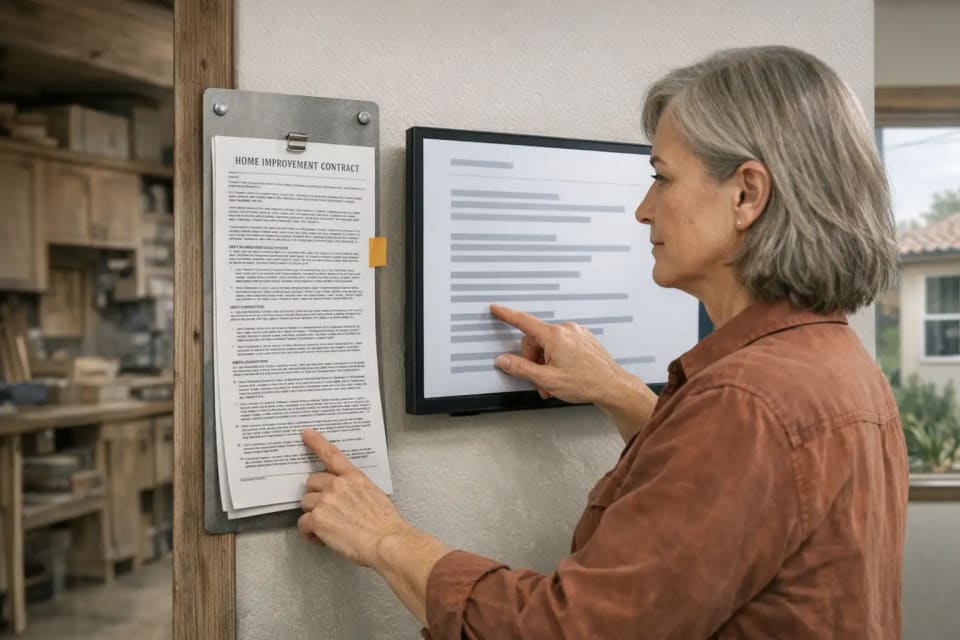
How to Check Whether Your California Home Improvement Contract Template Is Out of Date
Short answer: The age of a template does not tell you whether it is current. To find out, compare the template line by line against the current text of California Business and Professions Code section 7159 on the official California Legislative Information site, check the statute's amendment history, and record the date you did the check. This applies to any California licensed contractor, estimator, or office manager who reuses a saved Word, PDF, or software contract form for residential work. The sections below cover which official sources to use, how to tell whether section 7159 applies to a given job, a template-versus-statute audit table, how copied and edited files drift from the original, and where attorney review fits.
This article is educational information for California contractors. It is not legal advice, and no template, checklist, or software product guarantees that a contract is compliant or enforceable. Statute references below were read in a statute mirror labeled 2025 and in a Contractors State License Board (CSLB) sample document; confirm every item on the official legislative text before relying on it.
Why a Template That Worked Last Year Can Be Wrong This Year
Most contractors inherited their contract form. It came from a trade association, a prior employer, a lawyer years ago, or a download someone saved to a shared drive. The form gets copied, the homeowner's name gets retyped, a clause gets deleted for one job, and the edited copy becomes the new "master." Nobody dates it. Nobody records which version of the law it was built against.
The 2025 amendment to section 7159 is a concrete example of why that matters. The official California Legislative Information page for SB 517 (Niello) shows that the bill amended section 7159 and was approved by the Governor and filed with the Secretary of State on October 10, 2025. Legislative tracking and law-firm commentary describe it as Chapter 585, Statutes of 2025, with a reported effective date of January 1, 2026. The effective date was not confirmed on an official source for this article, so treat it as reported until you verify it on the chaptered bill or the statute history note on leginfo.
What the amendment appears to add, based on the mirrored statute text and the current CSLB sample contract, is a subcontractor Yes/No statement in the contract and a matching disclaimer on each change order. A template saved before late 2025 will not have it. Its heading sizes, payment statements, and cancellation notices might still be fine. That is the point: you cannot judge a template by its date. You have to audit it against the current text.
Step 1: Confirm the Current Law From Official Sources and Date What You Find
Direct answer: Start with California Legislative Information for the current section 7159 text, the chaptered bill, and the statute's history. Then look at CSLB's sample contract and guides. Use law-firm posts, statute mirrors, and AI answers only as leads that point you to the official page.
Three habits keep this step honest:
- Read the operative text, not a summary. Blog posts and AI answers compress the statute, and compression loses heading names, type sizes, and placement rules. One widely repeated claim, that SB 517 requires subcontractor names when a subcontractor performs more than 50% of the project, appears to come from the bill as introduced, not the enacted version. The enacted text, as mirrored, uses a Yes/No disclosure instead. Reading the final text is what catches that kind of difference.
- Separate retrieval dates from effective dates. A statute mirror labeled "2025" or a PDF whose metadata shows a creation date tells you when the page or file was generated, not when the law took effect. Only the bill's chaptering information and the statute's history note answer the effective-date question.
- Treat CSLB samples as reference material, not a guarantee. CSLB publishes a free Sample Home Improvement Contract. Its own disclaimer says it is informational only, is not a substitute for professional legal advice, and is used at the user's own risk. CSLB does not endorse any private template or vendor, and copying the sample does not by itself make a contract compliant for your job.
Where to look, in order of authority:
- California Legislative Information (leginfo.legislature.ca.gov): current section 7159 text, the SB 517 bill page, and the chaptered version.
- CSLB Guides and Publications: the Sample Home Improvement Contract, the Contracting for Success contractor guide, and the Terms of Agreement consumer guide. Check each document's edition; the Contracting for Success edition reviewed for this article could not be confirmed as reflecting SB 517.
- CSLB newsletters and industry bulletins: useful for context, but check the issue date. The Summer 2025 newsletter describes the sample contract and predates SB 517's signing, so it does not cover the subcontractor change.
- Statute mirrors, law-firm articles, and AI answers: leads only. Do not cite them as the current law in your own records.
Step 2: Check Whether Section 7159 Applies to the Job
Direct answer: As reproduced in the statute mirror, section 7159(b) defines a home improvement contract as an oral or written agreement, "contained in one or more documents," for a home improvement as defined in section 7151, where the aggregate price in one or more contracts, including labor, services, and materials, exceeds $500. CSLB's consumer guide states the same $500 combined labor-and-materials trigger. Confirm the current wording on leginfo.
Two parts of that definition matter for a template audit:
- "One or more documents." If your workflow sends a proposal, a scope sheet, and a signed form as separate files, the audit has to cover the whole package, not just the base template. A current base form plus a stale proposal attachment is still a mixed package.
- "One or more improvement contracts." The mirrored text aggregates price across contracts. Splitting one job into several smaller invoices to stay under $500 is not something the text, as read, supports as a way around the requirements. If someone on your team has suggested that approach, raise it with a California construction attorney rather than assuming it works.
The mirrored text also lists exclusions and related sections that were not reviewed for this article: service and repair contracts under section 7159.10, certain fire-alarm sales, and the section 7159.5 provisions referenced elsewhere in 7159. Swimming pool contracts carry a plan-and-drawing requirement in the scope description. Solar, emergency, and financed transactions were flagged by CSLB materials as having separate considerations. If your work falls into any of those categories, treat them as separate verification items with their own official sources.
Step 3: Run a Template-vs-Statute Audit
Direct answer: Put your template next to the current statute text and score each required item as Matches, Needs review, or Ask your attorney. Tag each row with how well the requirement itself is verified, so you know which rows rest on official text and which rest on a mirror or a summary.
Evidence status tags used in the table:
- Official confirmed: read on a leginfo or CSLB page in full.
- Official (snippet): seen in an official page's search preview, not the full page.
- Mirror only: read in a statute mirror labeled 2025; confirm on leginfo.
- Secondary only: law-firm or tracker commentary; do not state as fact.
Subdivision references follow the mirrored text and may differ on leginfo. Re-check the numbering when you confirm the wording.
| Item to check | What to look for in your template | Where to confirm | Evidence status | Result |
|---|---|---|---|---|
| Applicability and scope | Aggregate price over $500 (labor, services, materials); the agreement may be "contained in one or more documents" | §7159(b); CSLB consumer guide | Mirror only; Official (snippet) for the $500 trigger | |
| Legibility and type size | Printed forms at least 10-point type; headings at least 10-point boldface unless a larger size is specified | §7159(c)(1)–(2) | Mirror only | |
| Signed copy before work starts | Contract and any changes in writing, signed before covered work begins; buyer receives a copy signed and dated by both parties | §7159(c)(3), (d) | Mirror only | |
| First-page items | Date the buyer signed; name, address, and email address of the contractor to whom a Notice of Cancellation is sent, with the statement that it may be sent to that address or email; a telephone number to help the buyer with the notice | §7159(c)(3)(B) | Mirror only (date these items were added is not confirmed; do not assume an old template has them) | |
| Contractor and salesperson identity | Contractor name, business address, and license number; when a home improvement salesperson was involved in soliciting or negotiating the deal, that person's name and registration number | §7159(d)(1)–(2); check against the contractor's current CSLB license record | Mirror only | |
| Contract type heading | "Home Improvement" identified as the contract type in at least 10-point boldface, regardless of what the document is titled | §7159(d)(3); CSLB sample title block | Mirror only; Official confirmed for the CSLB sample | |
| Buyer's copy statement | A statement, set in 12-point bold or larger, telling the buyer that a fully completed copy of the contract is theirs to receive | §7159(d)(4) | Mirror only | |
| Price and finance charge | "Contract Price" heading with the price in dollars and cents; "Finance Charge" heading stated separately if applicable | §7159(d)(5)–(6) | Mirror only | |
| Scope description | Heading describing the project and significant materials and equipment; swimming pools also need a plan and scale drawing | §7159(d)(7) | Mirror only | |
| Downpayment | "Downpayment" heading, the actual amount, and a 12-point bold statement that the downpayment may not exceed $1,000 or 10% of the contract price, whichever is less | §7159(d)(8); CSLB sample | Mirror only; Official confirmed for the CSLB sample | |
| Progress payments | "Schedule of Progress Payments" heading; each payment in dollars and cents tied to work and materials; 12-point bold statement that collecting payment for uncompleted work or undelivered materials is against the law | §7159(d)(9); CSLB sample | Mirror only; Official confirmed for the CSLB sample | |
| Dates and incorporated documents | Statement of what constitutes substantial commencement; "Approximate Start Date"; "Approximate Completion Date"; list of incorporated documents if applicable | §7159(d)(10)–(12) | Mirror only | |
| Change orders | Heading "Note About Extra Work and Change Orders" with the statutory statement; notice that change orders are not enforceable unless in writing and signed, with scope, amount, and effect on schedule or payments; unjust-enrichment statement | §7159(c)(5), (d)(13), (e)(3); CSLB sample | Mirror only; Official confirmed for the CSLB sample | |
| Subcontractor disclosure (2025 amendment) | A Yes/No statement on whether subcontractors will be used; where the answer is Yes, a disclaimer saying the contractor will supply a subcontractor list on request, covering each subcontractor's name, contact details, license number, and classification; the identical disclaimer repeated on every change order | §7159(c)(7)(A)–(C); SB 517 bill page; CSLB sample | Mirror only; Official (snippet) for the amendment and October 10, 2025 approval; Official confirmed for the CSLB sample language | |
| Required notices | Lien release statement; performance and payment bond notice near the signatures; Commercial General Liability insurance notice; Workers' Compensation notice; "Mechanics Lien Warning"; the applicable Notice of Cancellation in or attached to the contract (CSLB's sample includes 3-day, 5-day, and 7-day versions) | §7159(c)(4), (c)(6), (e)(1)–(2), (e)(4); CSLB sample | Mirror only for the statutory text; Official confirmed for the three cancellation versions in the CSLB sample; the statutory cancellation provisions themselves were not read for this article |
Two reminders about the table. First, the mirrored text states that section 7159 is not exclusive and does not relieve the contractor from other law, so a clean audit against this table is not a complete compliance review. Second, the mirrored text treats failure to provide the specified information, notices, and disclosures as cause for discipline, and states that a buyer may file a complaint with CSLB if the applicable Notice of Cancellation is not in or attached to the contract. The stakes of a stale template are regulatory, not just contractual.
Step 4: Check the Document Title and the Statutory Type Heading Separately
Direct answer: Calling the document a "Proposal," "Estimate," or "Construction Contract" does not, by itself, satisfy or avoid the requirement to identify the contract type as "Home Improvement." The title and the statutory heading are two separate audit items.
CSLB's own materials illustrate the distinction. The current Sample Home Improvement Contract uses "HOME IMPROVEMENT CONTRACT" as its title block. The Contracting for Success guide shows "Construction Contract" as a title with "(Home Improvement)" as a subtitle beneath it, in the required bold type. Both approaches treat the type identification as its own element.
What this means for an audit: a template titled "Proposal" can pass the heading item if it carries the "Home Improvement" type identification in at least 10-point bold, and a template titled "Home Improvement Contract" can still fail other rows. Score the title and the heading independently. Do not assume that labeling a signed document an "estimate" removes it from the section 7159 definition when the price exceeds $500; the definition, as mirrored, turns on the agreement and its aggregate price, not on the label.
Step 5: Look for Drift in Copied and Edited Files
Direct answer: Even a template that was correct when a lawyer reviewed it can drift. Version sprawl, one-off edits, and retyped data create gaps that a statute audit alone will not catch.
Common drift patterns in contractor offices:
- Multiple "masters." Two estimators each keep their own copy. One deleted the workers' compensation notice for a job with no employees and never restored it.
- Formatting loss. A form converted from Word to PDF, or pasted into an email body, loses its 12-point bold statements. The words are present; the required type size is not.
- Retyped license data. A license number or business address is typed by hand on each contract and no longer matches the current CSLB record.
- Change orders on a different form. The base contract was updated for the subcontractor disclosure, but the separate change-order form still lacks the matching disclaimer the mirrored text requires on each change order.
- Attachments on a different cycle. The cancellation notice is a separate PDF that has not been updated with the contract, and the contract does not state that the notice is attached.
The fix is procedural: one controlled master, a visible version number on the file, and a rule that nobody edits the master for a single job.
An Illustrative Walk-Through
This is an illustration of the method, not a client case.
An estimator opens the company's saved Word contract, last edited in 2024, to prepare a kitchen remodel. The office manager runs the audit table against the current statute text on leginfo, accessed that day.
- Subcontractor disclosure row: The template has no Yes/No statement and no subcontractor-list disclaimer. Result: Needs review. The 2025 amendment postdates the file.
- Change-order row: The template includes the "Note About Extra Work and Change Orders" heading, but the separate change-order form has no subcontractor disclaimer. Result: Needs review for the change-order form specifically.
- Downpayment row: The $1,000 or 10% statement is present, but the PDF export shows it in regular weight rather than bold. Result: Needs review for formatting.
- First-page items row: The first page has the signing date and a mailing address for cancellation notices but no email address or help phone number. Result: Needs review; the manager cannot tell from the statute mirror when those items were added, so this row goes to the attorney with a question rather than an assumption.
- Contract type heading row: The document is titled "Remodeling Agreement" and has no "Home Improvement" type identification. Result: Needs review.
The manager records each result, the leginfo URL, the access date, and the open questions, then sends the file and the log to the company's attorney. The job does not go out on the old form.
The Verification Log: A Minimal Record to Keep
Direct answer: A dated log turns a one-time check into something you can repeat and defend. Keep it with the master template.
| Field | What to record |
|---|---|
| Template name and version | File name and a version number you control, for example HIC-Master-v4 |
| Date last reviewed | The date you ran the audit, not the file's modified date |
| Statute source and date accessed | The leginfo URL for section 7159 and the date you opened it (your access date, not the law's effective date) |
| CSLB materials consulted | Which sample or guide, and any edition or date visible on the document |
| Reviewed by | Name and role of the person who ran the audit |
| Attorney review flag | Yes/No, date, and which rows were sent for review |
| Open items | Rows scored Needs review or Ask your attorney |
| Next review trigger | New bill affecting section 7159 chaptered, CSLB sample updated, new job type, or a fixed interval you choose |
Where Attorney Review Fits, and What Software Does and Does Not Do
Direct answer: Contract software is a self-help workflow tool. It does not replace attorney review, and it does not take over the contractor's responsibility for the license, the accuracy of the data entered, and the final review of each document.
Attorney review makes the most sense when the audit produces open questions: a row whose requirement you could not confirm on official text, a job type with separate rules (pools, financed work, emergency repairs, solar), a request to restructure payment terms, or any uncertainty about whether section 7159 applies. CSLB's own sample contract carries a disclaimer that it is not a substitute for professional legal advice. The same caution applies, with more force, to any private template or generated document.
What a structured workflow can reasonably do is reduce drift: one controlled master, document logic that surfaces required headings and statements, reviewable output, version history, and a record of what was sent and signed. What it cannot do is promise compliance or enforceability, because the contractor still chooses the inputs, the statute still changes, and the job facts still vary.
What to Ask Before Moving From a Word Template to Guided Contract Software
If the audit convinces you that a saved file is too hard to keep current, these questions help you evaluate a structured alternative without taking vendor claims at face value:
- How does the product handle California-specific document logic, and how is that logic dated and updated when section 7159 changes?
- Can you review the full output before sending it, and does it show which statements and headings it included?
- Is there version history, so you can see what the form looked like on the date a given contract was signed?
- How are e-signature, delivery, and audit records handled, and can you export them?
- Which features are verified and in use today, and which are still in development?
- Does the vendor state plainly that the product is not legal advice and does not guarantee compliance?
ContractBuilderAI is building a guided contract workflow for California home improvement contractors. It is a self-help tool, not legal advice, and it does not replace attorney review. If you want to see how a controlled, reviewable workflow compares to your current template, you can Request California Early Access.
Frequently Asked Questions
How do I know if my California home improvement contract template is out of date?
Template age alone does not answer the question. Compare the template line by line to the current text of Business and Professions Code section 7159 on California Legislative Information, check the statute's amendment history, and record the date you checked. The 2025 SB 517 amendment, which adds a subcontractor Yes/No disclosure per the mirrored text and CSLB's current sample, is one example of a change an older template will not reflect.
Which official sources should a California contractor check for contract requirements?
California Legislative Information for the current section 7159 text, the SB 517 bill page, and the statute history; and CSLB's Guides and Publications page for the Sample Home Improvement Contract, Contracting for Success, and the consumer guide. Treat statute mirrors, law-firm articles, and AI answers as leads only.
Has section 7159 been amended recently?
Yes. The official bill page for SB 517 shows it amended section 7159 and was approved and filed on October 10, 2025. Secondary sources report an effective date of January 1, 2026; confirm that on the chaptered bill or the statute's history note before relying on it. The mirrored statute text and CSLB's current sample show a subcontractor Yes/No statement with a matching disclaimer on change orders.
Can a "Proposal" or "Estimate" heading replace the required "Home Improvement" heading?
Not on the text as mirrored. Section 7159(d)(3) requires the contract type to be identified as "Home Improvement" in at least 10-point boldface, separate from whatever the document is titled. Audit the title and the type heading as two different items.
Does splitting a job into smaller invoices avoid the home improvement contract rules?
The mirrored text applies the $500 trigger to the aggregate price in "one or more improvement contracts," and defines the contract as an agreement "contained in one or more documents." Nothing in the text as read supports splitting as a workaround. Raise this with a California construction attorney rather than assuming it works.
Does home improvement contract software replace attorney review in California?
No. Software is a self-help workflow tool. It can reduce version drift and make output reviewable, but the contractor remains responsible for the license, the accuracy of entered data, and final review, and attorney review is still appropriate for open questions and unusual job types.
What goes wrong when office staff copy and edit old templates for each job?
Multiple "masters" appear, one-off deletions become permanent, formatting such as 12-point bold statements is lost on export, retyped license data stops matching CSLB records, and change-order forms and cancellation attachments fall out of sync with the base contract.
Next Step
Pick the template your office actually uses, open the current section 7159 text on California Legislative Information, and run the audit table above in one sitting. Record the results in the verification log, send the open rows to your attorney, and set a trigger for the next review. If the exercise shows that a saved file is too hard to keep current across your team, consider a controlled workflow and Request California Early Access.
This article provides general educational information about California home improvement contract requirements. It is not legal advice, does not create an attorney-client relationship, and does not guarantee compliance or enforceability. Statute references were read in a mirror labeled 2025 and should be confirmed on the official California Legislative Information site. CSLB does not endorse ContractBuilderAI or any private template.